.
Powered by Blogger.

Computer Tricks:

Our website is presenting Many tricks in the field of Computer. it also include many useful softwares regarding information and technology. All softwares are for education purpose, misuse of these tricks and software will be on your risk.

Facebook Tricks

Our website is presenting Many tricks of facebook. it also include many useful softwares regarding information and technology. All softwares are for education purpose, misuse of these tricks and software will be on your risk..

Wi-fi Tricks

Our website is presenting Many tricks about Wi-fi. it also include many useful softwares regarding information and technology. All softwares are for education purpose, misuse of these tricks and software will be on your risk..

Internet Tricks

Our website is presenting Many tricks regarding Internet. it also include many useful softwares regarding information and technology. All softwares are for education purpose, misuse of these tricks and software will be on your risk.

Laptop Tricks

Our website is presenting Many tricks about Laptop. it also include many useful softwares regarding information and technology. All softwares are for education purpose, misuse of these tricks and software will be on your risk.

Showing posts with label Wi-Fi Tricks. Show all posts

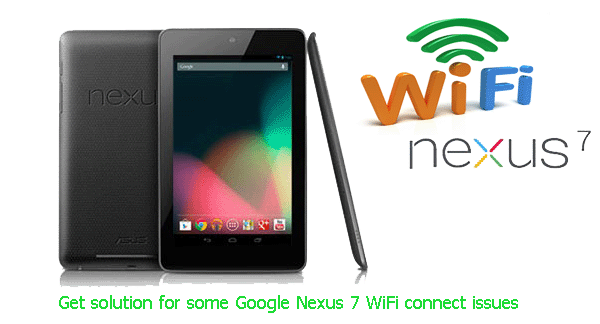
Best Tips For Connecting Wifi With Tablet..


Best Tips For Connecting Wifi With Tablet..

You should connect your device with the internet to experience the best web- browsing performance; and if you are not able to do that, taking wireless networking solutions might be the only way to do that.

Steps for getting connected to a Wi-Fi Network

The smart choice is accessing Wi-Fi for preventing data charges. After the Android tablet’s Wi-Fi radio is activated, you can easily connect to an available wireless network by following these steps:

  1. Open the Settings app.
  2. Select Wi-Fi.
  3. Select network out of the list.
  4. If network is protected, type the network password.
  5. Touch the Connect button.
And your device is connected to the network is connected!

Connection problems

In case you face any error while trying to connect:

  • Set up the connection again and check if you entered the security key correctly. You need to enter the dash ( – ) if you have a Bright Box router.
  • Reboot your router and tablet and set up the connection again
By following these steps, you’ll easily be able to connect your tablet with Wi-Fi. If you face any issue, try network troubleshooting services where expert tech support team assists you.

You can also get help form this video


5 ways to speed up your Wi-Fi network.. Useful Trick


5 ways to speed up your Wi-Fi network

Everyone needs faster, stronger Wi-Fi. It depends on your broadband connection for more than ever before. These days we don't just surf the web from a single PC in one place - we stream music, radio and movies around mutiple connected devices, around the home and in the garden. In this article we explain why you may need to upgrade your Wi-Fi equipment. We also show you how to boost your Wi-fi signal using your existing kit, and simple ways to make your broadband faster, more stable, Here further given below some useful methods to speed up a 
wi-fi network.


1..Change Router Channel:

 Change the channel your network uses can make a big difference. If you've got a 2.4 GHz router, channels 1, 6, and 11 are generally the best bets because they're furthest away from other channels. But even those might run into interference from nearby networks. So first run software that shows you the channels any nearby networks use, and how powerful their signals are.If you've got an Android device, WiFi Analyzer does the trick. After you see what channels nearby networks are running on, choose a conflict-free channel for your own network.


2..Update firmware:

Yes, I know this sounds like your mother's advice to eat your broccoli, and you've heard it so many times you've tuned it out. But it works. Manufacturers regularly tweak hardware's firmware, and it leads to faster, more reliable performance. So check out your documentation about how to update your router's firmware. It's easy to do, and it has a big payoff.

3..Properly locate your router:

Moving a router to a different location can make a surprisingly big difference in network speed on your devices. Before moving your router, checks network speeds on your devices using a service like Speed Test. Then move it to different locations, using SpeedTest each time, until you find the best location.

4..Use repeaters and extenders:


Repeaters, extenders, and add-on antennas are great ways to extend your network's range to places in your house that currently gets poor network coverage. These devices generally cost under $50 and are relatively straightforward to set up. There are also Powerline-to-WiFi devices such as the Linksys PLWK 400 that uses your home's AC outlets to extend your wireless network's reach. They 're particularly good for extending your network to difficult places like basements.

5..Use DD-WRT:

If entirely replacing your router's firmware with the open source DD-WRT. It won't work with all routers, and you are taking a chance by replacing your router's firmware. But I've done it and the software has countless ways for improving your network's performance. Before you do it, check the DD-WRT site carefully to make sure it works with your router, and follow instructions carefully.


Useful Video for Watching how to speed up your wi-fi network


Free use Protected Wi-Fi for Mobiles. 100% Working Software


Free use Protected Wi-Fi for Mobiles

 There are many wi-fi networks surrounding to you but you are not allowed to connect without having the password. In this Post I shalll give you an Application which can hack any wi-fi network. So, what you are thinking for, get the application from the bellow link and start hacking today


 Instructions:
  1. Download "wi-fi hacker.apk" from the below links.
  2. Then Run "wi-fi hacker.apk" on your Android Device.
  3. Now Search for Available wi-fi which you want to hack.
  4. Click Search an Run.
  5. Now, You can access easily your neighbor WI-FI using your Android Device.
  6. Enjoy...
System Requirement:
  1. You must have superuser, on your android device [must rooted].
  2. Working for all mobile android devices, 4.0, jelly bean, any android device


http://swiftdownload.net/3k63a